
Welcome to Polarplot
Polarplot is a HAM Radio Contact QSO Mapper. Drop in your ADIF log file and watch your contacts light up on an interactive world map with geodesic great-circle paths, country flags, clustering, and full station bio lookups.
Set your home station callsign and grid square, then import any ADIF file — from QRZ, WSJT-X, N1MM, or any other logging software. Polarplot decodes callsign prefixes, Maidenhead grids, and embedded coordinates. For logs without location data, use QRZ Resolve to pull full station details from QRZ. This is not magic and it cannot pull data that does not exist.
How to Get Started
1. Enter your callsign and grid square (or GPS coordinates) in the sidebar.
2. Drag and drop your .adi or .adif file onto the drop zone.
3. Optionally add your QRZ credentials to resolve missing station data.
4. Click the stat cards at the bottom to drill into contacts, countries, bands, and modes.
Core Features
Map Controls
Sidebar Controls
Resources & Community
Version History
- POTA Tactical Mode — Immersive asymmetric layout with shifted station framing for optimal planning visibility
- Dynamic HUD Centering — Tactical Focus HUD now calculates true center between active sidebars in real-time
- Contextual UI Safety — Dynamic hiding of the 3D globe control during POTA, and POTA controls during 3D sessions
- Clean Map Export — New screenshot toggle to disable all stat panels for a pure, distraction-free map visualization
- Session Intelligence — Automatic state reset (paths, HUD, and map offsets) when exiting tactical mode
- Signal Heatmap Visualization — Added a high-performance heat layer to the 2D map to visualize signal quality distribution across the globe
- Precision Mapping — Accurate conversion for FT8/FT4 SNR (-30 to +20dB) and Voice/CW RS (11-59) to a standardized 0.05-1.0 heat intensity scale
- Heat Calibration — Implemented location-based deduplication to prevent "heat inflation" in high-density areas; heat now reflects peak signal quality, not just station count
- Sent / Received Toggle — Real-time segmented control to switch the heatmap between your reported signal (Sent) and the signal you received (RCVD)
- Enhanced Popups — Station popups now explicitly show both Sent and Received reports (e.g., S: 59 / R: 59) for every contact
- Smart Recency Logic — Heatmap points are derived from the most recent contact at each location to reflect current band conditions
Big thanks to DJ0MA for being the first beta tester of Polarplot, and helping me fix many bugs!
- Dedicated Cloudflare Worker proxy — QRZ resolve now works out of the box for all users, no activation required
- QRZ resolve now deduplicates callsigns before lookup — each unique station is only queried once, applied to all matching QSOs
- Grid-derived contacts now included in QRZ resolve — Log4OM and similar logs with zeroed coordinates are correctly enriched
- Adaptive rate limiting with automatic backoff and retry on resolve errors
- Portable callsign support — suffixes like /QRP, /P, /MM are stripped before QRZ lookup so all variants resolve correctly
- Screenshot title — type a custom label (e.g. POTA, SOTA, Contest) in the export modal and it appears on the saved image
- Collapsible sidebar — collapse the left panel for a full map view with smooth animated tab, works in both 2D and 3D
- Date range filter — filter all map contacts by QSO date from/to, works alongside band, callsign, and country filters
- Callsign hyperlinks — every callsign in contact cards, popups, and the All Contacts panel links directly to QRZ
- Home QTH beacon now appears on the 3D globe by default
- Grid-square derived contacts now scatter within their cell instead of stacking on the exact centre point
- QSL confirmation feature removed
- Contact line hover tooltip — hover any 2D geodesic path or 3D arc to see great-circle distance (km & mi)
- Clicking a contact line opens the same contact card as clicking the dot, in both 2D and 3D
- 3D globe contact card now locks to the contact point and tracks it as you orbit; fades when it rotates behind the globe
- Screenshot modal redesigned — view toggle (Full Map / Camera View) + single Save button
- Screenshot countries panel now shows flag thumbnails alongside 3-letter abbreviations
- Screenshot watermark moved to bottom-left of the map area and updated to polarplot.net
- Screenshot 3D globe panel now renders at full HiDPI resolution, matching the 2D legend quality
- Globe screenshot no longer visually jumps — camera repositions behind a veil and dots are properly aligned
- Visual Options toggles are blocked with a toast when no log is loaded
- Line Distance Hover is disabled until Contact Paths is enabled; warns if toggled while paths are off
- Map Clustering auto-enables when entering 3D globe with a log loaded, or when a log is imported while in globe mode
- Contact Paths, Line Distance Hover, and Map Clustering all reset correctly when switching between 2D and 3D
- Overlay layer picker now closes automatically when switching between 2D and 3D views
- Globe arcs turn off instantly without requiring a camera orbit
- Browser password autofill enabled for QRZ credentials
- PNG screenshot export with selectable stat panels (2D & 3D)
- Tactical Search Hub now filters live in 3D globe, switches to individual dots while searching
- Contact card popup locks to dot while orbiting in 3D, fades out when contact rotates behind globe
- Distance units (KM/MI) moved to map overlay button group
- QRZ Logbook cross-reference — drop your QRZ ADIF export to enrich missing locations without a proxy
- Resolve Missing now pre-matches against QRZ logbook before falling back to per-callsign XML lookup
- Data Proxy activation link and info tooltip added
- Show All QSOs range now correctly uses home location set via Maidenhead grid
- GitHub Pages deploy fixed — Node setup action corrected, loading.png and logo.png now bundled correctly
- Custom domain support: polarplot.net
- Band chips glow on hover
- Globe screenshot captures live WebGL frame and HTML dots composited together
- Added 3D Globe view via Globe.gl WebGL renderer
- Expanded PREFIX_MAP to cover all ITU amateur prefixes
- Coordinate bounding-box fallback for unknown callsigns
- Streaming ADIF Web Worker for large log files
- Bulk QRZ resolve with live progress counter
- 5 theme system: Dark, Light, Terminal, Space, Amber
- Biography Vault — full QSO history per callsign
- Band spectrum filter chips
- Stats panels for DXCC, bands, and modes
- Geodesic great-circle path rendering
- Initial release — ADIF import, Leaflet map, marker clustering
- QRZ XML API integration
- Maidenhead grid and callsign prefix resolution
Frequently Asked Questions
Other Software
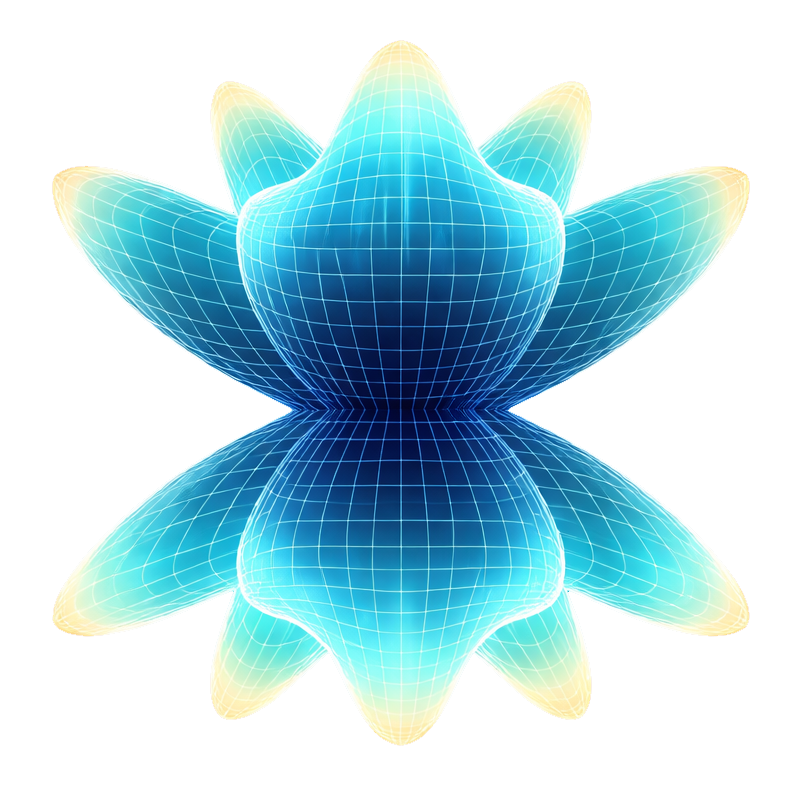
A real-time 3D antenna radiation pattern simulator built entirely in the browser as a single HTML file. Visualise far-field patterns, compare antennas side-by-side, and explore wave propagation — all powered by physics-based electromagnetic models using Plotly.js for 3D rendering.
No installation required. No data leaves your device. No server needed — just open the HTML file in any modern browser.